TAB Australia Mobile App
Your complete TAB account in your pocket. Bet on sports, racing and live markets, manage your funds, and never miss an event with real-time push notifications.
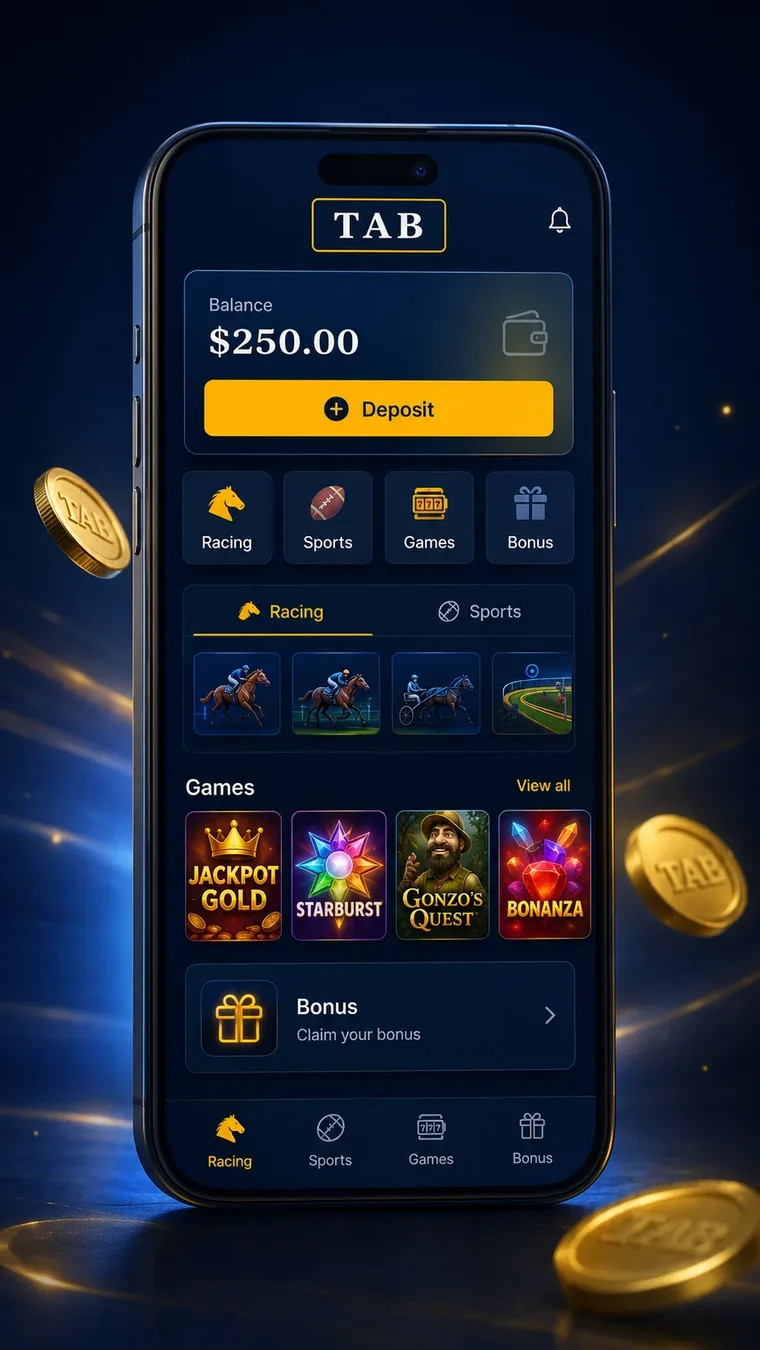
What the TAB App Actually Does
TAB has been part of Australian punting since long before phones got smart. The app is where most of that action lives now.
The TAB app is the mobile front end for Australia's best-known wagering brand. It handles thoroughbred, harness and greyhound racing across every major and provincial meeting in the country, plus a full sports book covering AFL, NRL, cricket, soccer, tennis, basketball and a long tail of overseas competitions. You open it, you see today's meetings, you pick a race, you place a bet. That is the core loop, and TAB has spent years sanding down the friction in it.
Where it separates itself from a generic bookmaker app is racing depth. Tote pools sit alongside fixed odds in the same bet slip. Exotics that other apps bury or skip entirely, such as Quaddies, First Fours, running doubles and flexi betting, are first-class citizens here. If your punting week revolves around Wednesday metro meetings and a Saturday multi, the app is built around your habits rather than treating racing as an afterthought.
Who It Suits
Racing punters get the most out of it. Form guide, speed maps, jockey and trainer stats, scratchings and track condition updates all live inside the app, so you rarely need a second tab open. Sports bettors are well served too, though the market depth on niche overseas leagues sits closer to the middle of the pack than the top of it.
Casual punters who bet a handful of times a year on the big carnival days will find it approachable. The interface does not assume you know what a flexi percentage is, and the bet slip shows you exactly what you are outlaying before you confirm. If you are still working out the mechanics of a boxed trifecta or an each-way wager, our step-by-step guide to placing a bet in Australia covers the vocabulary before you put money down.
App Versus the Mobile Site
You can bet through a browser on your phone and nothing is missing from the market lists. The differences are practical rather than dramatic. The app remembers your session, so you are not re-entering credentials every time you want to check a price. Push notifications only work through the app. Race vision and audio streams behave better in the native player. Bet slips load faster because the app caches layout and only pulls fresh prices over the wire.
The mobile site earns its keep on a work laptop, a borrowed phone, or a device with no storage left. For anyone betting more than occasionally on their own handset, the app wins on speed alone.
TAB App Download for iPhone and Android
Two stores, two slightly different processes, and a handful of things that trip people up on the way through.
Install from the App Store on iOS or Google Play on Android. Search for TAB, confirm the listing is published by Tabcorp, and hit the install button. The whole thing takes a minute or two on a decent connection.
Installing on iPhone and iPad
Open the App Store, tap the search tab, type TAB. The listing is straightforward to spot. Tap Get, authorise with Face ID, Touch ID or your Apple Account password, and the download starts. On an iPad the app runs in iPhone compatibility mode rather than as a dedicated tablet build, which means it scales up rather than reflowing the layout. Perfectly usable, just not purpose-designed for the bigger screen.
You need a reasonably current version of iOS. Older handsets stuck on a legacy release will either see an incompatible warning or get offered an older build that no longer talks properly to the live pricing service. If your phone has not seen a system update in a few years, that is usually the culprit behind an install that refuses to complete.
Installing on Android
Google Play, search TAB, tap Install. Android fragmentation means the experience varies a little by manufacturer. Samsung and Pixel devices tend to run it cleanly. Some heavily skinned OEM builds are aggressive with background app management, which can suppress notifications until you manually exempt TAB from battery optimisation in your system settings.
Storage matters more than raw power. The install itself is modest, but cached race vision, form data and images build up over a season. If you are constantly at zero free space, clear the cache periodically rather than reinstalling.
Device Requirements at a Glance
| Requirement | iPhone / iPad | Android |
|---|---|---|
| Store | Apple App Store | Google Play |
| Operating system | Recent iOS releases; older devices may be unsupported | Recent Android releases; older devices may be unsupported |
| Free space needed | A few hundred MB including cache | A few hundred MB including cache |
| Biometric login | Face ID or Touch ID | Fingerprint or face unlock, device dependent |
| Location access | Required for some features and state-based rules | Required for some features and state-based rules |
| Race vision | Supported, account conditions apply | Supported, account conditions apply |
| Tablet layout | Scaled iPhone layout | Scaled phone layout on most tablets |
When the App Will Not Install or Update
Most failed installs come down to four things. Not enough free storage, an operating system too old to meet the minimum, a store account signed into the wrong region, or a partially downloaded package that has jammed.
Work through them in order. Check storage first, since it is the most common and easiest to fix. Then check for a pending system update. If your Apple Account or Google account is set to a non-Australian region, the Australian listing may not appear at all, and switching the store region resolves it. For a stuck download, cancel it, restart the phone, and start again. Android users can also clear the Google Play Store cache from app settings, which unsticks a surprising number of frozen updates.
Updates that never arrive usually mean automatic updates are disabled. Open your store's account section, find the update list, and pull the latest build manually. Running an outdated version is the single most common reason prices display incorrectly or a bet slip refuses to submit.

Signing In, Signing Up and Getting Verified
Australian wagering law puts identity checks front and centre. Handle it early and the rest is painless.
If you already hold a TAB account, the app accepts your existing credentials directly. Account number or username plus password, and you are in. First-timers can complete the whole sign-up inside the app without touching a desktop.
Opening an Account in the App
The form asks for your legal name, date of birth, residential address, email and mobile number. You must be 18 or over and physically in Australia. Everything is checked against the details you provide later at verification, so type carefully. A mismatch between your sign-up name and your identity document is the number one cause of a stalled withdrawal weeks down the track. Our walkthrough on opening a TAB betting account covers what to have ready before you start.
Identity Verification Is Not Optional
Australian regulation requires wagering operators to verify customer identity, and TAB will not release funds to an unverified account. The app runs an electronic check against your driver licence, passport or Medicare card details in the background. For most people it clears in seconds and you never think about it again.
When the electronic check cannot match you, whether from a recent move, a changed surname, or a name spelled differently on your licence than on your account, the app will ask you to upload document photos instead. Manual review takes longer, usually a business day or so. Do it the week you open the account rather than the afternoon you want your winnings paid out.
Face ID, Fingerprint and Staying Logged In
Once you have logged in once, enable biometric sign-in from the app settings. Face ID or a fingerprint replaces password entry on every subsequent open, which matters when you are trying to get a bet on with ninety seconds to jump time. Our TAB account sign-in troubleshooting guide works through what to do when credentials stop being accepted.
Biometric data stays on your device and is handled by the phone's secure hardware, so the app never sees your face or fingerprint. Keep a note of your password anyway, because biometric sign-in occasionally asks for it after a system update or a device restart.
The Features That Earn Their Screen Space
Plenty of apps list twenty features. These are the ones that change how you actually bet.
Form Guide and Race Vision
The integrated form guide is the app's strongest asset. Tap any runner and you get recent starts, distance and track records, barrier history, jockey and trainer form, and speed map positioning. Scratchings update in real time, and the app reprices tote markets accordingly. Doing your homework on the train and firing the bet from the same screen removes a lot of friction.
Race vision streams live through the app for meetings TAB holds rights to, subject to account conditions. Audio-only mode exists for when you are on limited data or a patchy connection, and it is a genuinely useful fallback rather than a token option.
Same Race Multi and Multi Betting
Same Race Multi lets you combine several outcomes from a single race, such as one horse to finish top three, another to win and a third to place, into one priced wager. It is among the most popular products in Australian racing right now and TAB's implementation is clean, with prices recalculating live as you add or remove legs.
Standard multis across races and sports work the way you would expect. Add selections to the slip, the app builds the multi automatically, and you can toggle between singles and the combined bet. Multi-leg sport builders let you stack markets from the same fixture. For a deeper look at the sports markets available across AFL, NRL and cricket, our Australian sports betting markets breakdown goes through them code by code.
Quaddies, Flexi and the Exotics
This is where TAB's tote heritage shows. The Quaddie interface is genuinely good: pick your legs, the app calculates combinations and shows your flexi percentage as you go, so you can see immediately what a $20 outlay buys across a wide ticket. Trifectas, First Fours, exactas and running doubles all get the same treatment.
Flexi betting deserves a mention on its own. Instead of being locked into a full unit per combination, you nominate a total spend and collect the corresponding percentage of the dividend. It is how most punters take a serious swing at a Quaddie without needing a four-figure bankroll.
Notifications and Bet Tracking
Push alerts cover jump times for races you have bets in, results and payouts, late scratchings that affect your ticket, and account activity. They are configurable, so you can keep the ones that matter and mute the rest. Your pending and settled bets sit in one section with full history, which makes reviewing a month of punting straightforward.
App Versus Desktop: What Changes
Almost everything transfers across. A few things are better in one place than the other.
People often assume the mobile app is a stripped-back version of the website. It is not. The feature gap runs in both directions, and for day-to-day punting the app is ahead more often than it is behind.
| Task | TAB App | Desktop Site |
|---|---|---|
| Place a fixed odds or tote bet | Yes | Yes |
| Same Race Multi | Yes | No, app only |
| Quaddie and exotic builder | Yes, touch optimised | Yes, easier on a big screen for wide tickets |
| Full form guide | Yes | Yes, more visible at once |
| Live race vision | Yes, native player | Yes, browser player |
| Push notifications for jump times | Yes | No |
| Biometric login | Yes | No |
| PayID and BPAY deposits | Yes | Yes |
| Identity verification upload | Yes, camera capture | Yes, file upload |
| Deposit limits and time-outs | Yes | Yes |
| Multi-race comparison across meetings | Limited by screen size | Better |
Where Desktop Still Wins
Building a wide multi-leg Quaddie across four legs with eight runners in each is simply easier with a mouse and a large display. Same goes for cross-referencing three meetings at once during a busy Saturday. Serious form students often plan on desktop and execute on the phone.
Where the App Is Better
Speed of entry, notifications, biometric login and live vision on the go. If a price moves on a horse you are watching, you are three taps from a bet rather than opening a laptop.
Deposits and Withdrawals Inside the App
Australian payment rails are fast. Knowing which one to pick saves you waiting around.
Getting Money In
PayID is the quickest route. You enter the amount, confirm in your banking app, and the funds land almost immediately. Debit card deposits are also near-instant. Credit cards cannot be used for online wagering in Australia at all, a ban in force since June 2024 that also covers digital currency, so a debit card is the option for card deposits.
BPAY works but is slower, typically taking a couple of business days to clear because it moves through the standard biller network. It suits punters who top up in larger amounts occasionally rather than anyone wanting funds on the account before the next race. Standard bank transfer sits in similar territory.
Getting Money Out
Withdrawals go back to a verified Australian bank account. Request it in the app, TAB processes it, and the money typically arrives within one to three business days depending on your bank and the time of day you requested it. Requests made late on a Friday will usually land the following week.
Two things hold up withdrawals more than anything else. An unverified account, and a bank account whose name does not match the account holder. Both are fixable, both are easier to sort before you need the money.
Limits and Timing
Minimum deposit and withdrawal thresholds are modest and shown in the app at the point of transaction. There is no fee charged by TAB on standard deposits or withdrawals, though your own bank may apply its own charges on certain transfer types. Check the cashier screen for current figures rather than relying on numbers you read somewhere six months ago.
Racing and Sport in the App
The two halves of the book behave differently, and the app treats them differently too.
Racing: Tote and Fixed Odds Side by Side
Every race screen gives you both markets. Fixed odds lock your price at the moment of the bet. Tote pays the pool dividend calculated after the race closes. Punters who back short-priced favourites often prefer fixed; those chasing value on roughies frequently take the tote and hope late money elsewhere pushes the dividend up.
The app displays approximate tote odds live so you can see which way the pool is moving. Metro, provincial and country meetings from every state are covered, with international feeds during their major carnivals. If you want the full picture on how Australian racing markets work, our guide to betting on Australian thoroughbred racing goes into pool structures and exotic strategy properly.
Sport: Pre-Match Depth
AFL and NRL are the flagship codes with the deepest market lists, covering line, total, first try scorer, margin buckets, player disposals, quarter and half markets. Cricket coverage swells during the Big Bash and international summer. Soccer, tennis, basketball, golf and motorsport all get solid pre-match treatment, and the sports multi builder is where most casual sports money goes.
Live Betting: What the Law Allows
This one confuses newcomers constantly. Under the Interactive Gambling Act, placing a bet online once an event has started is prohibited in Australia. That applies to every licensed operator, TAB included. What you can do is place an in-play bet by telephone or in person at a venue. The app shows live scores and updated markets, but the online placement itself stops when the event begins.
The practical upshot is that your pre-match position is your position. There is a full explanation of what is and is not permitted in our rundown of in-play betting rules in Australia, including how the phone process works.
Speed, Data Use and Fixing Common Problems
Most app complaints trace back to three or four causes. Here is how to work through them.
How Much Data It Uses
Browsing markets and placing bets barely registers on a data plan. Text, prices and a few images. You could punt through a whole Saturday on a fraction of a gigabyte.
Race vision is a different story. Video streaming will chew through data at the rate any video app does, and a full afternoon of watching races back to back adds up quickly. Switch to audio-only commentary when you are on mobile data and save the video for when you are on Wi-Fi. The app also lets you drop stream quality, which helps on a weak signal.
When Prices Will Not Load
Odds that show as blank, frozen or stale almost always mean the app has lost its connection to the live pricing feed rather than anything wrong with your account. Pull down to refresh first. If that fails, force-close the app and reopen it, which re-establishes the socket connection.
Still nothing? Toggle flight mode on and off to reset your data connection, or switch between Wi-Fi and mobile data. Corporate and public Wi-Fi networks sometimes block the ports live pricing uses, which is why the app often works on 4G in the same building where it fails on the guest network.
Crashes, Freezes and "App Not Working"
Run through this list before assuming something is broken. Update to the latest version from your store. Restart the phone. Clear the app cache from your device settings on Android, or offload and reinstall on iOS if the problem persists. Check whether you are running low on storage, since a nearly full device causes erratic behaviour in every app, not just this one.
If the app opens but you cannot log in, confirm you are not hitting a locked account from repeated failed password attempts. If you cannot place a bet specifically, check whether the event has already jumped, because the block on in-play placement means a bet you thought was still open may simply have closed.
Persistent failures across multiple networks and a clean reinstall point at something on TAB's side, and their support channels are reachable from the app's help section.
Using the App on Carnival Days
The first Tuesday in November and Everest day put more load on wagering apps than the rest of the year combined.
Prepare Before the Rush
Sort your account before the big meetings, not during them. Verification completed, funds deposited, app updated, biometric login enabled. Every year a wave of once-a-year punters tries to open an account at 2pm on Cup day and discovers that identity checks take time.
Have your selections in the bet slip early. The app holds pending selections, so you can build a multi or a Quaddie in the morning and confirm it whenever you are ready. Race day details for the Flemington feature are covered in our Melbourne Cup race day and field preview, and the Randwick sprint gets the same treatment in our breakdown of The Everest field and form.
Notifications Earn Their Keep
On a normal Saturday you might mute alerts. On carnival days, turn them on. Late scratchings in a big field change tote dividends and can void or alter your exotic tickets, and knowing about it thirty seconds after it happens is genuinely useful.
Watch the Ongoing Offers
Australian rules prohibit operators from advertising sign-up inducements, so nothing is dangled at new customers. Existing account holders do see ongoing promotions and racing specials in the app's dedicated section. What is running at any given time is listed in our overview of current TAB racing and sport offers.
Responsible Gambling Tools Built Into the App
The controls sit in your account settings and take under a minute to set.
Limits and Time-Outs
Deposit limits are the most useful tool available. Set a daily, weekly or monthly ceiling and the app enforces it. Lowering a limit applies straight away; raising one carries a mandatory cooling-off period, which is deliberate. Activity statements show your deposits, turnover and net position over any period you choose, and they are worth reading honestly.
A time-out locks you out of betting for a set stretch, whether days, weeks or months, without closing the account. Self-exclusion goes further and lasts longer.
BetStop and Support
BetStop is Australia's national self-exclusion register. One registration blocks you from every licensed online and phone wagering operator in the country, TAB included. Register at betstop.gov.au.
Free, confidential counselling is available 24 hours a day on 1800 858 858 through the National Gambling Helpline. Our page on gambling support services available in Australia lists state-based services as well. You must be 18 or over to hold a wagering account.
TAB App Questions Answered
The queries that come up most often from punters installing the app for the first time.
Is the TAB app free to download?
Yes. The app costs nothing to install from either the App Store or Google Play, and there is no subscription. You only need funds in your account when you want to place a bet.
Can I bet in-play through the TAB app?
No. Australian law prohibits online in-play betting once an event has started. The app supports pre-match betting online, and in-play wagers must be placed by telephone or in person at a venue. This applies to every licensed Australian operator.
Why won't the TAB app install on my phone?
Usually storage, an outdated operating system, or a store account set to a non-Australian region. Free up space, install any pending system update, confirm your App Store or Google Play region is Australia, then try the download again.
Do I have to verify my identity to use the app?
Yes. Australian regulation requires identity verification and TAB will not process a withdrawal on an unverified account. The check usually runs electronically in seconds. If it cannot match your details you will be asked to upload a licence, passport or Medicare card.
How long do withdrawals from the app take?
Typically one to three business days to reach a verified Australian bank account, depending on your bank and when you lodge the request. Weekend requests generally process the following business week.
Can I watch live racing in the app?
Yes, for meetings TAB holds broadcast rights to, subject to account conditions. Audio-only commentary is available as a lower-bandwidth alternative when you are on mobile data or a weak connection. For the full picture on what TAB offers, see our TAB Australia bookmaker review.